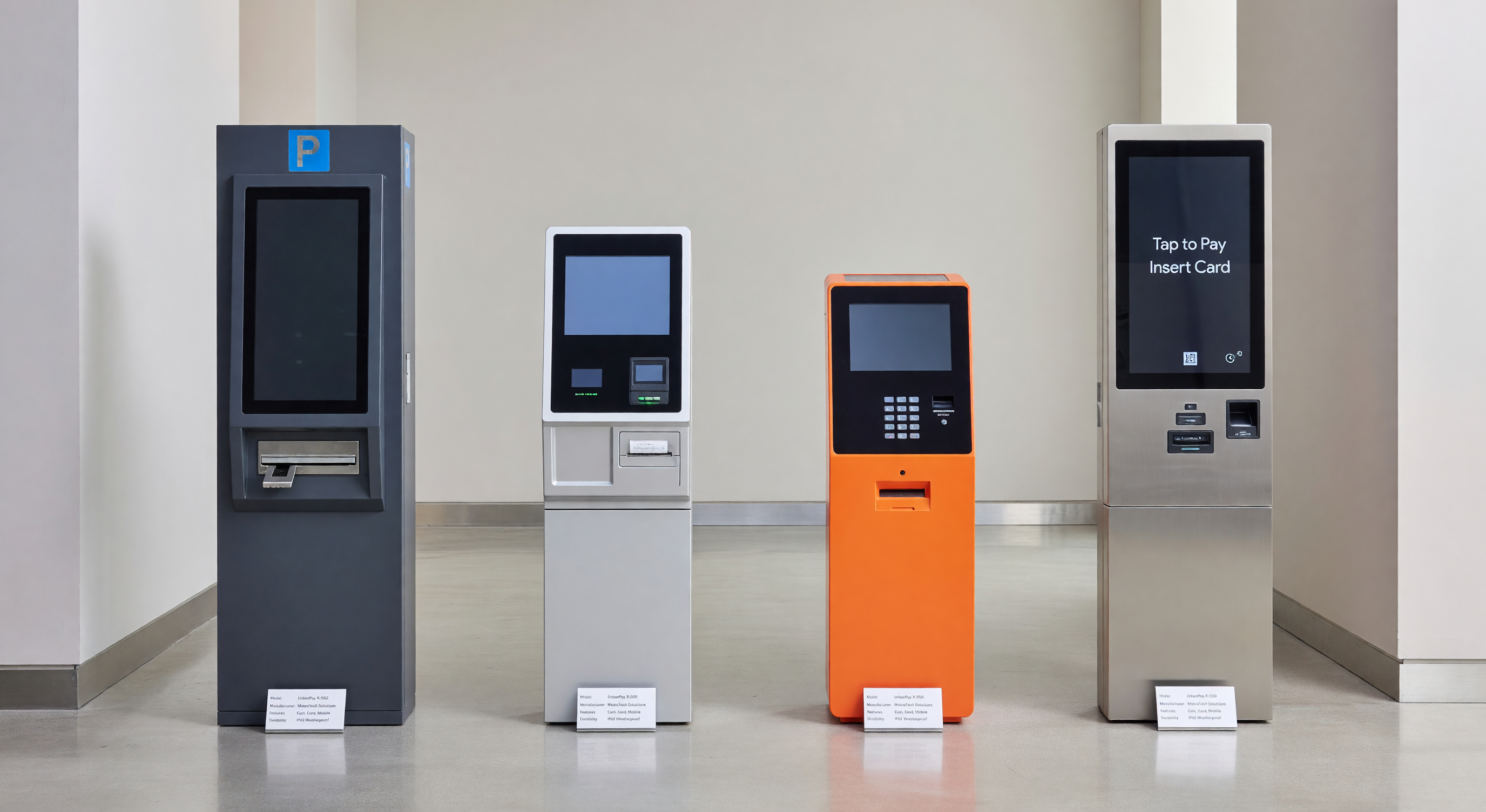
Buying a parking pay station is not a commodity purchase. The hardware you choose will process payments for the next 8–12 years, integrate (or fail to integrate) with your access control system, and determine whether your maintenance team can get replacement parts in 48 hours or 6 weeks. This guide covers what actually separates a good purchase decision from a regrettable one.
Pay Station Types: Which Format Fits Your Operation
The first decision is architecture — how payment collection maps to your physical space. There are three distinct categories, and mixing them up early in the evaluation process wastes everyone’s time.
Single-Space Meters
Single-space meters serve one stall each. They are the simplest technology in this category: coin-operated or card-enabled, battery or solar-powered, mounted on a post adjacent to the space. Modern single-space meters from vendors like IPS Group and POM Inc. support credit card and contactless payment, LTE connectivity, and occupancy sensing via magnetometer or ultrasonic sensor.
Best fit: On-street municipal parking, small surface lots with 10–30 spaces, campuses with dispersed stall inventory.
Price range: $500–$1,500 per unit installed. At scale (200+ units), expect vendor discounts of 15–25%.
Multi-Space Pay Stations (Pay-and-Display / Pay-by-Space)
A single kiosk serves a zone — typically 10–30 spaces. The two sub-types are pay-and-display (customer takes a receipt to display on the dash) and pay-by-space (customer enters their stall number). Pay-by-space is operationally cleaner and enforcement is more accurate.
Multi-space stations are the most common format for off-street surface lots, structured garages with ungated entry, and universities.
Best fit: Surface lots 20–200 spaces, garages where gate equipment is cost-prohibitive, mixed permit/transient operations.
Price range: $3,000–$8,000+ per unit depending on features. A 100-space lot typically deploys 3–5 stations.
Pay-on-Foot Stations
Pay-on-foot (POF) stations are the gateway component in full-access-control systems — customers retrieve a ticket at entry, pay at an interior kiosk before returning to their vehicle, then exit at a gate using a validated ticket or exit code. POF stations are significantly more capable (and more expensive) because they handle high transaction volume, require large-format displays, integrate with PARCS (Parking Access and Revenue Control Systems), and often include bill acceptors, full receipt printers, and accessibility-compliant audio guidance.
Best fit: Structured garages 200+ spaces, airports, hospitals, hotels, any operation where exit lanes need to move quickly.
Price range: $15,000–$40,000+ per unit. A two-lane exit garage will typically deploy 1–2 POF kiosks plus separate entry/exit lane equipment.
Key Specs to Evaluate Side-by-Side
Once you’ve identified your format, these are the specifications that actually determine day-to-day performance and long-term cost.
Display: Size, Type, and Readability
Most multi-space stations ship with a 7-inch or 10-inch display. Pay-on-foot stations typically offer 10–15 inch touchscreens. The spec that matters more than size is display type and outdoor visibility.
- Sunlight-readable displays (typically 1,000+ nits brightness) are critical in uncovered surface lots. Standard commercial displays wash out in direct sun.
- Resistive vs. capacitive touchscreens: Capacitive is faster and more responsive but fails with wet or gloved hands. Resistive handles gloves and moisture better — important in northern climates or facilities where users may have dirty hands.
- Passive non-touch displays are still found on older or budget units and require physical keypad input. They are slower and less intuitive for occasional users.
Payment Types: EMV, NFC, and Mag Stripe
This is the most consequential spec from a compliance and fraud liability standpoint. Since the 2015 EMV liability shift in the US, parking operators using non-EMV-compliant terminals bear liability for counterfeit card fraud. In practice, many older meters still run mag stripe only — that is a compliance and financial risk.
What to require:
- EMV chip-and-dip (minimum standard)
- Contactless / NFC — Apple Pay, Google Pay, and tap-to-pay cards are now expected by a majority of users under 45. Omitting this creates friction and lost revenue.
- QR code / mobile pay integration — Not universal but increasingly requested; vendors like Passport and ParkMobile offer white-label integration
Avoid any unit that ships mag stripe only. Even if a vendor offers an EMV upgrade kit, field upgrades on pay stations are expensive and inconsistent.
Connectivity: Cellular, Ethernet, Wi-Fi
Connectivity determines how your back-office software receives transaction data, how quickly you can update rates, and whether remote diagnostics are available.
- Cellular (4G LTE): The most reliable option for surface lots and on-street deployments. No infrastructure dependency. Monthly SIM costs ($5–$15/unit) are predictable. Verify the vendor uses a multi-carrier SIM or specify — single-carrier SIM units will go dark in coverage-challenged areas.
- Ethernet: Preferred for indoor garage installations where conduit is already in place. No recurring carrier cost. Requires IT involvement for network provisioning.
- Wi-Fi: The least reliable option for parking equipment. RF interference, password rotation, and range issues make Wi-Fi a maintenance headache. Acceptable as a secondary/fallback connection; not recommended as primary.
Require confirmation of which connectivity options are field-upgradeable. A unit locked to 3G at time of sale becomes obsolete.
Operating Temperature Range
This is frequently under-specified by buyers and creates significant operational problems in northern or desert climates.
- Standard commercial electronics operate to about -10°C (14°F). That is insufficient for Minnesota, Canada, or mountain facilities.
- Quality outdoor pay stations should specify operation to -40°C (-40°F) or use internal thermostatically controlled heaters for the receipt printer and bill acceptor mechanisms.
- On the high end, direct-sun enclosure temperatures in Phoenix or Las Vegas can exceed 70°C (158°F) on the surface. Check the operating temperature spec, not just the storage temperature spec — they are different.
Ask the vendor for climate-specific customer references. A vendor with 200 deployments in Florida has no field data on cold-weather performance.
Bill Acceptors and Receipt Printers
Not every operation needs these, but removing them post-purchase is not an option.
Bill acceptors: Required if your user base skews cash-dependent (transit-adjacent lots, lower-income markets, municipalities with cash equity requirements). Modern bill acceptors from brands like JCM handle $1, $5, $10, and $20 bills reliably. Key spec: bill acceptance rate (target >98%) and bill jam service interval.
Receipt printers: Thermal roll printers are standard. Key specs are paper capacity (a 100mm roll is good for 250–400 receipts), operating temperature range for the mechanism (thermal heads are temperature-sensitive), and whether the printer is field-replaceable as a module or requires a technician. Paperless receipt options (email or SMS) are available on connected units and reduce consumables cost.
Pricing Ranges and What Drives Cost
| Format | Unit Price Range | Key Cost Drivers |
|---|---|---|
| Single-space meter | $500–$1,500 | Connectivity, payment type, solar vs. wired |
| Multi-space pay station | $3,000–$8,000+ | Display size, bill acceptor, printer, connectivity |
| Pay-on-foot station | $15,000–$40,000+ | Display size, throughput, PARCS integration depth |
These are hardware purchase prices only. Installation, software licensing, cellular SIM costs, and PCI compliance scanning add materially to first-year cost. See the total cost of ownership framework for a complete model.
Pricing is also highly negotiable at volume. A 10-unit order commands different pricing than a 1-unit pilot. Get pricing for your actual deployment quantity, not the list price on the spec sheet.
Questions to Ask Vendors Before Signing
Most vendors will lead with uptime claims and integration talking points. These are the questions that reveal operational reality.
What is your uptime SLA, and what are the remedies if you miss it?
A vendor claiming “99.9% uptime” without a contractual remedy (credit, replacement, penalty) is offering a marketing statistic, not a commitment. Get the SLA in writing. What counts as “downtime” — payment processing failure only, or any loss of remote connectivity? How is downtime measured and reported?
What is parts availability and lead time?
Ask specifically: “If a bill acceptor module fails in year 4, what is the lead time for a replacement part?” If the answer is more than 5 business days, budget for spare parts inventory. Ask how many years post-purchase the vendor commits to maintaining parts availability. Some manufacturers EOL hardware 5 years after last sale — that leaves you maintaining 10-year-old equipment with no parts support.
What is your software update policy?
Cloud-connected units push firmware and software updates over the air. Understand: Who controls the update schedule — the vendor or you? Can updates be staged and tested before fleet-wide deployment? Has a software update ever caused a field outage? (Ask for the incident log, not a verbal answer.)
What are your PCI DSS compliance certifications?
Parking pay stations handle cardholder data and must comply with PCI DSS. Ask for the vendor’s PCI P2PE (Point-to-Point Encryption) validation status. P2PE-validated solutions significantly reduce your PCI compliance scope — a meaningful operational and audit cost savings. Confirm the payment processor integration is also compliant; a PCI-compliant terminal paired with a non-compliant processor is still a liability.
Total Cost of Ownership: Beyond the Purchase Price
The purchase price of a pay station is typically 40–60% of the 10-year total cost of ownership. The remaining costs are:
- Software licensing: Most connected pay stations require a monthly or annual SaaS fee for the back-office platform — typically $15–$60/unit/month depending on feature tier.
- Connectivity: Cellular SIM costs run $5–$15/unit/month. For a 20-unit fleet, that is $1,200–$3,600/year.
- Maintenance contracts: Extended warranty and preventive maintenance contracts typically run 8–15% of hardware cost annually after the first year.
- PCI compliance: Annual SAQ (Self-Assessment Questionnaire) or QSA audit costs, plus any required network scanning.
- Consumables: Receipt paper, cleaning supplies, battery replacements (solar units).
- Installation and wiring: Varies significantly by site. Surface lot installations with conduit runs can match hardware cost.
For a full breakdown by facility type, reference our total cost of ownership framework.
Shortlisting Vendors
The field of pay station manufacturers is smaller than it looks. Several brands share underlying hardware platforms. For a detailed breakdown of the major manufacturers, their hardware positioning, software platforms, and support reputation, see our brand-by-brand comparison.
For mid-market surface lots and garages, the brand comparison linked above includes manufacturers with a focus on operational simplicity and domestic parts availability — factors particularly relevant for buyers prioritizing long-term serviceability over feature breadth.
Bottom Line
The pay station market rewards buyers who specify precisely and negotiate on total cost, not list price. Define your payment type requirements (EMV + NFC as a minimum), specify connectivity based on your infrastructure reality, get operating temperature performance in writing for your climate, and contractualize parts availability before signing. The vendors who push back hardest on those specifics are the ones most likely to disappoint in year 5.