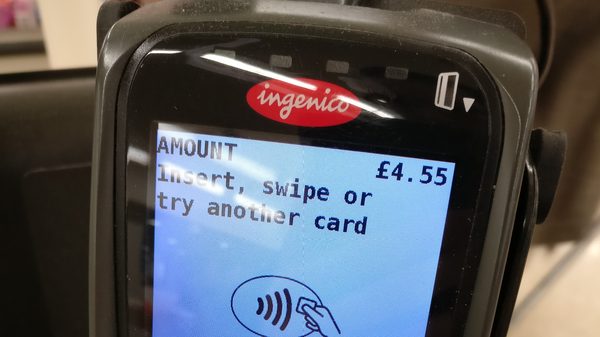
For most of the history of parking equipment procurement, ADA compliance on a pay station meant physical accessibility: reach ranges, clear floor space, mounting height, operable parts usable without tight grasping, pinching, or twisting. A buyer confirmed the dimensions, the vendor supplied a compliance statement, and the matter was closed.
That is no longer the whole question, and buyers working from the old checklist are specifying equipment with a compliance gap they will not discover until someone files.
The change is that kiosks have stopped being treated as standalone hardware and are now assessed as part of what regulators and the industry are calling the digital front door — the set of interfaces through which a member of the public transacts with a public entity. Under that framing, the transaction has to be accessible end to end, and the screen is an interface subject to digital accessibility standards rather than a control panel subject only to dimensional ones.
What the Rule Actually Requires
The Department of Justice finalized its Title II web and mobile accessibility rule in April 2024. It requires state and local government digital services — explicitly including parking payment applications, meter interfaces, and reservation systems — to conform to WCAG 2.1 Level AA.
The compliance dates were extended by a year in April 2026. Entities serving populations of 50,000 or more now have until April 26, 2027; smaller entities and special districts have until April 26, 2028.
Running alongside this, draft U.S. Access Board guidelines address self-service transaction machines directly and are expected to be adopted as enforceable standards by DOJ and DOT. Those guidelines carry forward the physical requirements buyers already know — reach ranges, clear floor space, operable parts — but they sit within a framework where the interaction itself, not just the enclosure, is in scope.
The net position for 2026 is that ADA compliance for kiosks has moved from general guidance into an enforcement phase with measurable, auditable digital requirements.
The Gaps Buyers Consistently Miss
The physical specification is usually fine, because it is the part everyone has been checking for twenty years. The gaps cluster in the interaction layer, and they are not obvious from a datasheet.
Contrast on an outdoor screen in real conditions. WCAG 2.1 AA sets minimum contrast ratios for text and interface components. Vendors test contrast in a lab. A pay station lives outdoors, in direct sun, behind an anti-glare coating, frequently at an angle to a standing user. A design that passes on a bench can fail in the bay, and the failure is worst for exactly the low-vision users the requirement exists for. Ask for contrast figures measured through the actual outdoor bezel and coating.
Touch-only interaction. A capacitive touchscreen with no tactile alternative excludes users who cannot see the screen. The established answer is a tactile keypad with a standard layout, an audio output path with a headphone jack, and navigable audio prompts. A surprising number of otherwise modern units offer audio only as an accessory or only in some configurations, and it is a line item rather than a default.
Timeouts. WCAG requires that users be able to extend or turn off time limits. Pay station sessions frequently time out on a fixed short interval to free the terminal, and that interval is tuned for a sighted user with a card in hand. A user navigating by audio prompts needs materially more time, and a hard timeout that cannot be extended is a straightforward failure.
Error identification and recovery. When a card is declined or a plate is entered incorrectly, does the unit say what went wrong in text and audio, and does it let the user correct just that field? Many terminals dump the user back to the start of the flow, which is an accessibility problem before it is a usability one.
The mobile and web continuation. This is the gap most specific to the new rule. If the kiosk displays a QR code, directs users to an app, or hands off to a web receipt or extension flow, those destinations are in scope too. A fully accessible terminal that hands off to an inaccessible web payment page has not delivered an accessible transaction. Buyers routinely procure the hardware and the software from different places and never test the seam.
Language and reading level. Not a WCAG conformance criterion in the narrow sense, but part of how enforcement assesses whether a transaction is genuinely usable, and cheap to get right at specification time.
How to Put This Into a Procurement
Three things change in the buying process.
Ask for a current VPAT or Accessibility Conformance Report against WCAG 2.1 AA, covering the interface as deployed. A statement of ADA compliance is not the same document and does not answer the same question. Read the report for the “partially supports” rows — that is where the real information is — and ask what the remediation plan and date are for each.
Require testing on the full transaction, not the terminal. Specify that acceptance includes an end-to-end walkthrough by a user relying on the audio path, from approach through payment through receipt, including any mobile or web handoff. This single requirement surfaces most of the gaps above and costs nothing to include.
Write the compliance date into the contract. Your 2027 or 2028 deadline is fixed; the equipment you buy in 2026 will still be in service when it arrives. If the vendor’s roadmap closes a gap by a particular release, put the release and the date in the agreement rather than in an email.
For Equipment Already in the Field
Retrofitting is possible more often than buyers assume, because a meaningful share of the gaps are firmware and configuration rather than hardware. Timeout extension, contrast adjustment, error-message wording, and audio prompt sequencing are frequently software-side. The hardware-side items — a missing tactile keypad or headphone jack — are not, and those units will need replacement or a documented alternative access path.
Where replacement cannot happen before the deadline, document the alternative. A published, staffed, genuinely usable alternative means of accessing the service is part of how Title II obligations are met, and having it written down and operating is materially better than having the intention.
The practical takeaway for anyone specifying pay stations this budget cycle: the physical checklist you have been using was never wrong, it is simply no longer sufficient. The question to ask a vendor is not whether the kiosk is ADA compliant. It is whether the transaction is, all the way to the receipt.