The bill acceptor is the highest-maintenance component in a cash-accepting parking pay station. It handles paper currency — often worn, folded, contaminated, or damaged — in an outdoor or semi-outdoor environment where temperature and humidity vary significantly. A well-maintained bill acceptor runs 50,000+ transactions between significant service events; a neglected one jams, rejects, or fails entirely after a fraction of that.
This guide covers the maintenance procedures that keep bill acceptors reliable, the calibration checks that maintain rejection accuracy, and the diagnostic approach for acceptance problems.
How Bill Acceptors Work
Understanding the mechanism helps interpret maintenance requirements. A bill acceptor processes currency through a sequence of operations:
- Feeding: A bill inserted into the acceptance slot is grabbed by feed rollers and transported into the machine
- Authentication: The bill passes through a sensor array that checks optical, magnetic, and in some units, infrared patterns against stored templates for valid bills
- Transport: Authenticated bills are transported to the stacker or currency vault
- Stacking: Bills are stacked in the vault, organized for easy counting during collection
Each step has maintenance implications. Feed roller contamination causes feeding failures. Dirty optical sensors cause authentication failures (excessive rejections). Transport path contamination causes jams. Overfull stacker vaults cause transport failures.
Preventive Maintenance Schedule
Weekly
Vault level check: Check the vault or stacker capacity. An overfull bill stack jams the transport mechanism and can damage bills, making reconciliation difficult. Most commercial bill acceptors have 400–2,000 bill capacity; schedule collection before reaching 80% capacity.
External cleaning: Wipe the bill acceptance slot exterior with a clean, lint-free cloth. Accumulated dust, grease, and debris at the slot entry restricts bill feeding and can pull contamination into the transport path.
Monthly
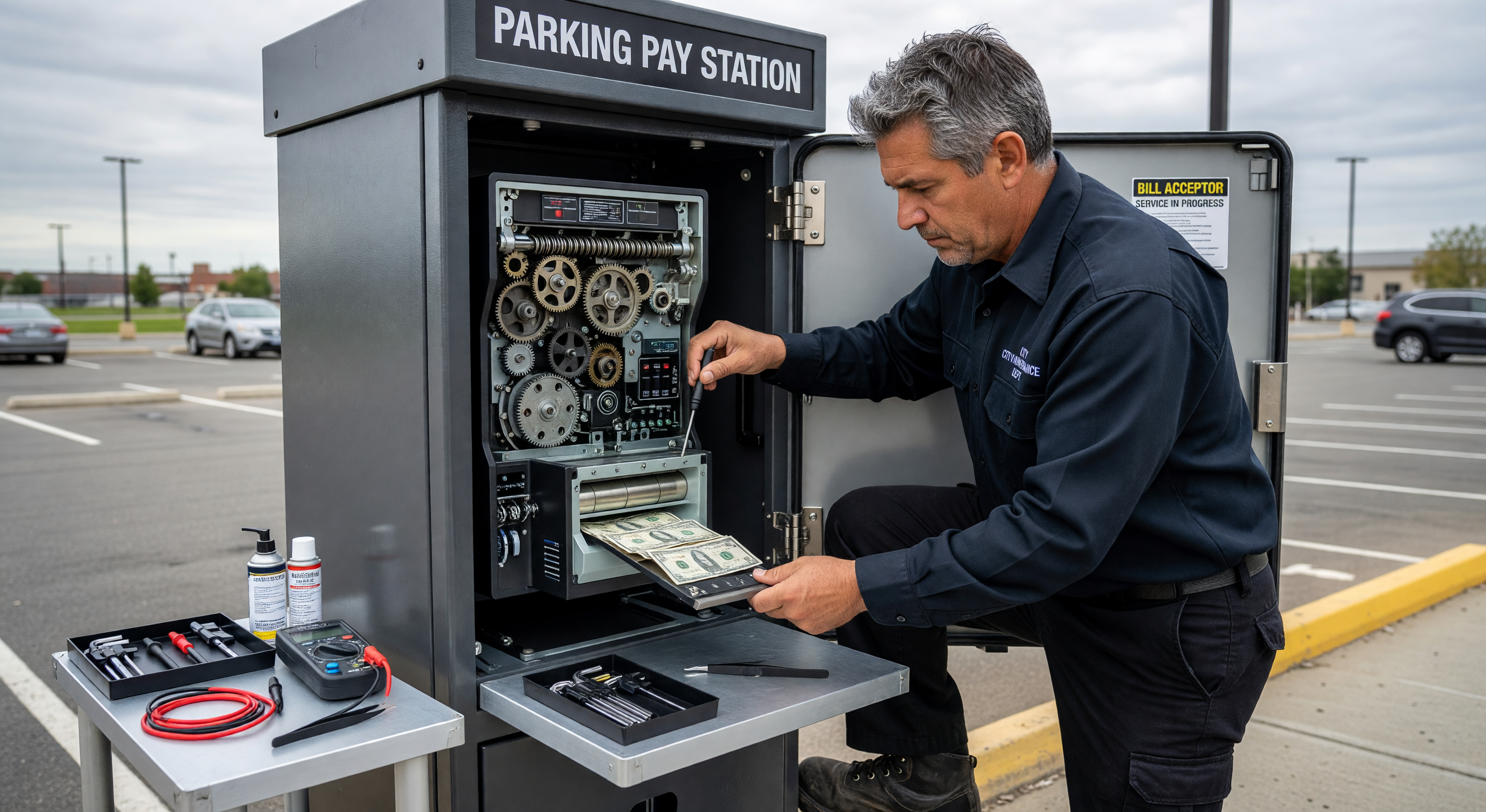
Full transport path cleaning: This is the most important bill acceptor maintenance procedure. Proceed as follows:
- Power down the pay station and access the bill acceptor (typically requires opening the secure vault door and unlatching the acceptor module from its mount)
- Open the acceptor transport path (most commercial units have a two-piece housing that opens like a clamshell to expose the full transport path)
- Using a soft brush or dry compressed air (low pressure, 20–30 PSI maximum) remove loose debris from the transport path
- Wipe all transport rollers with a slightly dampened IPA (isopropyl alcohol, 70%) cloth. Rollers accumulate a glaze of ink, debris, and oils from currency that reduces their grip. Clean until no more color transfers to the cloth.
- Clean all sensors with a dry, lint-free swab — don’t use IPA or any liquid on sensor windows; it can leave residue that affects readings
- Close and reassemble the transport path
- Test with 5–10 bills across various denominations before returning to service
Feed roller inspection: Inspect feed rollers for wear flat spots, glazing, or cracking. Worn feed rollers produce inconsistent bill grabbing — bills are sometimes fed successfully and sometimes spit back, causing customer frustration. Replace rollers showing visible wear; don’t wait for complete failure.
Quarterly
Calibration verification: Bill acceptors have calibrated thresholds for accepting and rejecting currency. These thresholds can drift over time due to sensor aging or firmware changes. Perform a calibration test using a stack of known-good bills:
- Process 20 bills — a mix of denominations, from newly printed to moderately worn
- Record acceptance rate — any rejections of legitimate currency indicate calibration or sensor issues
- Test with one known counterfeit or photocopy — if the acceptor accepts it, calibration or sensor function requires attention
Many commercial bill acceptors allow calibration check and recalibration through their diagnostic mode. Refer to the manufacturer’s documentation for the specific procedure for your model.
Firmware update check: Bill acceptor manufacturers release periodic firmware updates that include new currency pattern templates (to detect new bill designs) and calibration improvements. Check for available updates quarterly and apply them per the manufacturer’s procedure.
Troubleshooting Bill Acceptance Problems
High Rejection Rate
All denominations rejected:
- Optical sensor contamination — clean sensor windows
- Sensor failure — measure sensor output in diagnostic mode; replace if out of spec
- Firmware/calibration issue — reset to factory calibration and retest
Specific denomination rejected:
- Currency template outdated — update firmware for latest bill design templates
- Denomination-specific sensor threshold issue — adjust calibration for that denomination in diagnostic mode
Worn or damaged bills rejected: Some rejection of severely damaged currency is appropriate. If good-condition bills are rejected, clean the sensor path and verify calibration. If only visibly damaged bills are rejected at high rates, the calibration may be correct — consider adjusting the rejection sensitivity threshold upward to increase acceptance of marginal-condition bills (at the cost of slightly reduced counterfeit detection)
Bill Jams
Jam at feed entry:
- Clean the feed slot and entrance area
- Inspect and replace worn feed rollers
- Check that the bill guide alignment plate hasn’t been displaced by previous jam clearing
Jam in transport path:
- Clear the path completely (don’t force a jammed bill through — manually open the transport path and remove)
- Inspect the jam location for debris accumulation, roller wear, or a foreign object
- Test after clearing — if jams recur in the same location, inspect that section of the transport path for damage
Jam at stacker:
- Bill stack is too full — collect vault and reduce time between collections
- Stacker fingers worn or damaged — stacker mechanism replacement
Jam clearing procedure (never force bills):
- Open the transport path access
- Remove the jammed bill manually, pulling in the direction of travel
- Inspect for additional bills or debris
- Inspect the jam location for the cause before clearing
- Test with 5–10 bills before returning to service
- Log the jam with location, time, and cause for trend analysis
Currency Collection and Reconciliation
Effective bill acceptor maintenance extends to the vault collection process:
Collection frequency: Schedule collection before reaching 80% vault capacity. In high-volume facilities, this may be daily. In lower-volume locations, weekly collection may be adequate. Never allow the vault to reach capacity — overfill jams are difficult to clear and can damage bills.
Counterfeit detection at collection: The vault collection process should include a pass-through of a counterfeit detector pen or UV light on a sample of bills. If counterfeit bills are found, the transaction logs from the period can identify the approximate transaction time for security footage review.
Reconciliation: Bill totals from the acceptor’s transaction log should match the physical currency count within 1–2 bills per collection (accounting for rejected bills that the customer reinserted). Larger discrepancies suggest either a vault reconciliation error or a system logging problem that warrants investigation.
Frequently Asked Questions
How often should bill acceptor rollers be replaced? Transport rollers in high-volume pay stations typically require replacement every 500,000–1,000,000 cycles, or approximately every 2–3 years in facilities processing 500+ cash transactions per day. Lower-volume installations may see 5+ year roller life.
Can we use compressed air to clean bill acceptor sensors? Dry compressed air can be used on the transport path and rollers. Do not direct compressed air at sensor windows — it can push debris into sensor cavities that can’t be cleaned without disassembly, and static discharge from compressed air can affect sensor sensitivity. Use dry lint-free swabs for sensors.
What currency condition causes the most bill acceptor problems? Heavily worn bills with torn edges, tape repairs, or wrinkled folds cause the highest jam and rejection rates. Bills that have been laundered (run through a washing machine) often have texture changes that affect sensor readings. Counterfeit bills that have been carefully aged to appear worn are designed to exploit the pattern-matching limitations of currency acceptors.
How do we know when a bill acceptor needs replacement rather than repair? When recurring jams or rejection issues persist despite thorough cleaning and calibration, and when sensor replacement doesn’t resolve the issue, the acceptor housing or transport mechanism may have dimensional wear that causes bills to track incorrectly through the transport path. At this point, transport section replacement or full acceptor replacement is more cost-effective than continued repair attempts.
Key Takeaway
Bill acceptor performance is directly proportional to maintenance consistency. The monthly transport path cleaning takes 15 minutes and prevents the majority of jam and rejection problems. Facilities that skip monthly cleaning deal with service calls; facilities that maintain the schedule deal with routine wear part replacement on a predictable schedule.