Parking facility intercoms are often the first point of contact when something goes wrong — a gate won’t open, a pay station is malfunctioning, or a driver needs assistance. When the intercom itself doesn’t work, the failure cascades: drivers can’t reach assistance, staff can’t respond to lane issues, and the facility’s ability to manage problems is compromised.
Despite this operational importance, intercom maintenance is often the least systematized aspect of parking equipment upkeep. This guide provides a structured approach to intercom inspection, audio quality assessment, and the preventive maintenance that keeps communication reliable.
Intercom System Types in Parking Facilities
Wired Intercom Systems
Traditional wired intercoms use dedicated copper wire pairs or multi-conductor cable between field units (at lanes, ticket dispensers, and emergency call stations) and the master station (cashier booth, parking office, or remote monitoring center). Audio signals travel over these dedicated lines.
Wired systems are reliable and relatively simple to troubleshoot — problems are usually either a failed component or a cable issue. They don’t depend on network infrastructure or internet connectivity. The limitation is installation flexibility: adding call stations requires running new cable.
IP-Based Intercom Systems
IP intercoms transmit audio (and video, for video intercom units) over the facility’s Ethernet network or internet. They can be monitored and answered from any location with network access — including remotely by a third-party parking management service.
IP systems offer flexibility but introduce network dependency. A network outage, a switch failure, or a VoIP service interruption affects all intercoms simultaneously rather than one at a time.
Cellular/4G Intercoms
Cellular-connected intercoms use the mobile network for audio connection rather than facility wiring or Ethernet. They’re appropriate for locations where running cable is impractical and network infrastructure is unavailable — remote lot entry points, temporary installations, or facilities without adequate network coverage at the intercom location.
Cellular intercoms require SIM card management, carrier accounts, and consideration of dead zones in your geography.
Preventive Maintenance Schedule
Monthly Checks
Audio quality test:
- Initiate a call from each field unit (gate intercom, emergency call station, ticket dispenser intercom)
- Verify the call connects to the master station within the expected ring time
- Test audio quality in both directions: field-to-master and master-to-field
- Check volume levels — excessive quietness or distortion indicates component degradation
Physical inspection:
- Check the housing for new damage (vandalism, vehicle impact, weather damage)
- Verify door gaskets are intact on units with access panels
- Check call button operation — press and hold to verify physical feedback and contact engagement
- Inspect speaker grille for blockage from debris, spider webs, or vandalism (common)
- Check microphone opening for blockage
Call routing verification:
- Verify calls route to the correct master station or answering point
- For systems with after-hours routing (calls divert to a different station or answering service), test the diversion
Quarterly Maintenance
Cleaning:
- Clean speaker grille — blockage from accumulated dust, insects, or debris is the most common cause of muffled audio
- Clean microphone opening with compressed air
- Wipe exterior housing with appropriate cleaning solution (avoid solvents that degrade housing material)
- For video intercoms: clean camera lens with soft cloth and lens cleaner
Cable inspection (wired systems):
- Inspect accessible cable runs for damage, chafing, or UV degradation
- Check cable entry points for adequate sealing against moisture
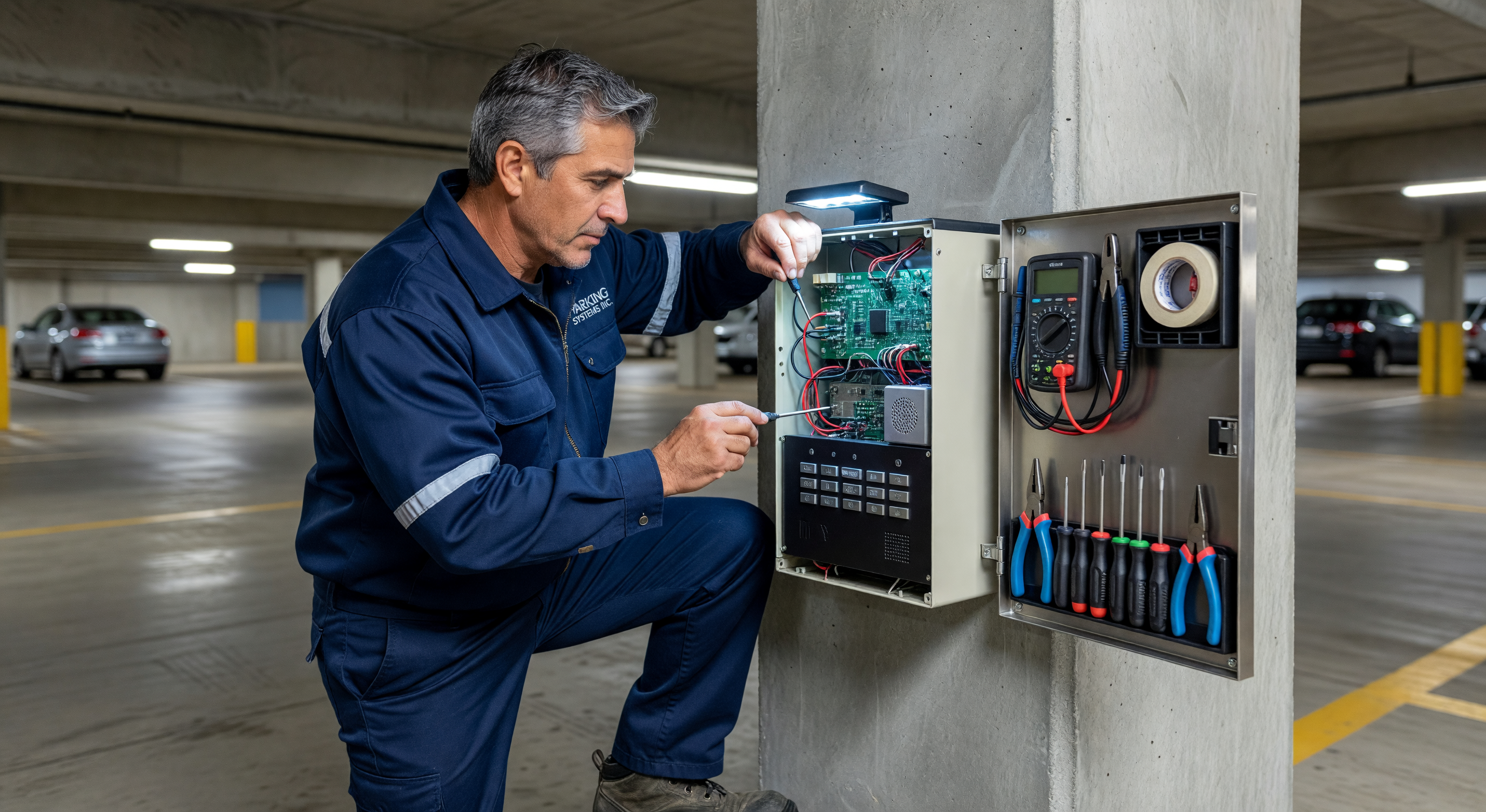
- Verify all terminal connections are secure — loose connections cause intermittent audio issues that are difficult to diagnose without inspecting the connection directly
Network health (IP systems):
- Verify IP address assignment and network connectivity for each field unit
- Check for any firmware updates available from the manufacturer
- Test failover to backup network path if redundant connectivity is configured
Annual Maintenance
Full system test:
- Test all call paths including after-hours routing and any automated answering configurations
- Test emergency override or priority call features
- Verify recording function if calls are recorded for quality or security purposes
Component assessment:
- Evaluate speaker driver condition — speakers degrade over time; annual listening comparison helps identify gradual audio quality decline before it becomes a problem
- Inspect power supply components (capacitors in power supplies age and eventually fail; swelling or discoloration indicates approaching failure)
- For cellular units: verify SIM card validity and account status; check signal strength
Audio Troubleshooting
No Audio on Call
Check first:
- Is the master station powered and operational?
- Is the field unit powered? (Indicator light or LED should be on)
- For wired systems: is there continuity in the cable run? (Test with a multimeter)
- For IP systems: can the field unit be pinged on the network?
- Has the speaker or microphone failed? (Test by swapping with a known-good unit if available)
Common cause: Wiring failure at a terminal block or splice point, especially in locations where cables are subject to movement or environmental stress. Inspect all accessible connection points first.
Distorted or Muffled Audio
From the field unit (master station hears muffled caller):
- Blocked microphone opening — clean with compressed air
- Failed or degraded microphone element — replacement required
- Cable running parallel to power cables inducing interference — cable routing or shielding issue
From the master station (caller hears muffled output):
- Blocked speaker grille — clean thoroughly
- Degraded speaker driver — test with a known-good speaker if possible
- Low volume setting on the master station — check master station output volume settings
General audio quality:
- Ground loops in wired systems cause consistent 60Hz hum — ground isolation transformers resolve this
- RF interference in facilities near radio transmitters or high-power electrical equipment — shielded cable addresses this
Call Not Connecting
IP intercom:
- Verify network connectivity from field unit (ping the unit IP from the management network)
- Check SIP registration status if using VoIP — the unit must be registered with the SIP server
- Verify the master station SIP client is active and registered
- Check for firewall rules that may be blocking SIP traffic between segments
Wired intercom:
- Test for continuity in the control line that activates the call (not just the audio pair)
- Verify master station is in “available” state — some systems require the master to be in an active state before field units can initiate calls
- Check for failed relay in the master station that completes the call circuit
Vandalism and Physical Damage Repair
Common Vandalism Damage
Button damage: Push buttons are frequent vandalism targets. Most button assemblies are modular and replaceable without full housing replacement. Keep spare button assemblies in stock for common intercom models.
Speaker and microphone damage: Pointed-object damage to speaker grilles can puncture the speaker cone. Replacement is typically a board-level or driver assembly replacement.
Camera damage (video intercoms): Camera modules in video intercoms are frequently targeted. Keep replacement camera modules for your intercom model in spare parts stock.
Housing damage: Severe housing damage may require full unit replacement. For dent or scratch-only damage, housing repair panels or replacement face plates are available from some manufacturers.
Hardening Against Vandalism
If a specific intercom location has repeated vandalism:
- Evaluate mounting height — can the unit be raised above reach height?
- Specify a vandal-resistant replacement with higher IK rating
- Add camera coverage targeting the intercom to capture vandal activity
Frequently Asked Questions
How often should intercom audio be tested? Audio quality testing should be part of the daily opening inspection for facilities with active staff. For facilities without daily staff presence, monthly audio testing is the minimum acceptable interval.
What causes consistent static in parking intercom audio? Consistent static is usually an interference issue: nearby electrical equipment, ground loop noise in wired systems, or failing components. Start by checking if the static is present on all calls or only on calls from specific field units — if specific, the issue is in that unit’s cabling or components.
Can we use consumer-grade intercoms in a parking facility? Consumer intercoms aren’t designed for outdoor use at the environmental standards required, don’t support the integration required with parking access systems, and lack the durability for high-use commercial applications. Commercial parking intercoms differ in weather rating, cycle life, and integration capability.
How do we handle intercom calls when the facility is unstaffed? IP and cellular intercoms can route calls to any telephone — a staffed management center, a mobile phone, or a third-party monitoring service. Configure after-hours routing to ensure calls are answered even without on-site staff.
Key Takeaway
Intercom maintenance is too often reactive — units are fixed after they fail rather than maintained to prevent failure. Monthly audio testing and quarterly cleaning prevent the majority of intercom failures. The 30 minutes per month spent on testing is far less expensive than a service call for a failed unit during a lane outage.