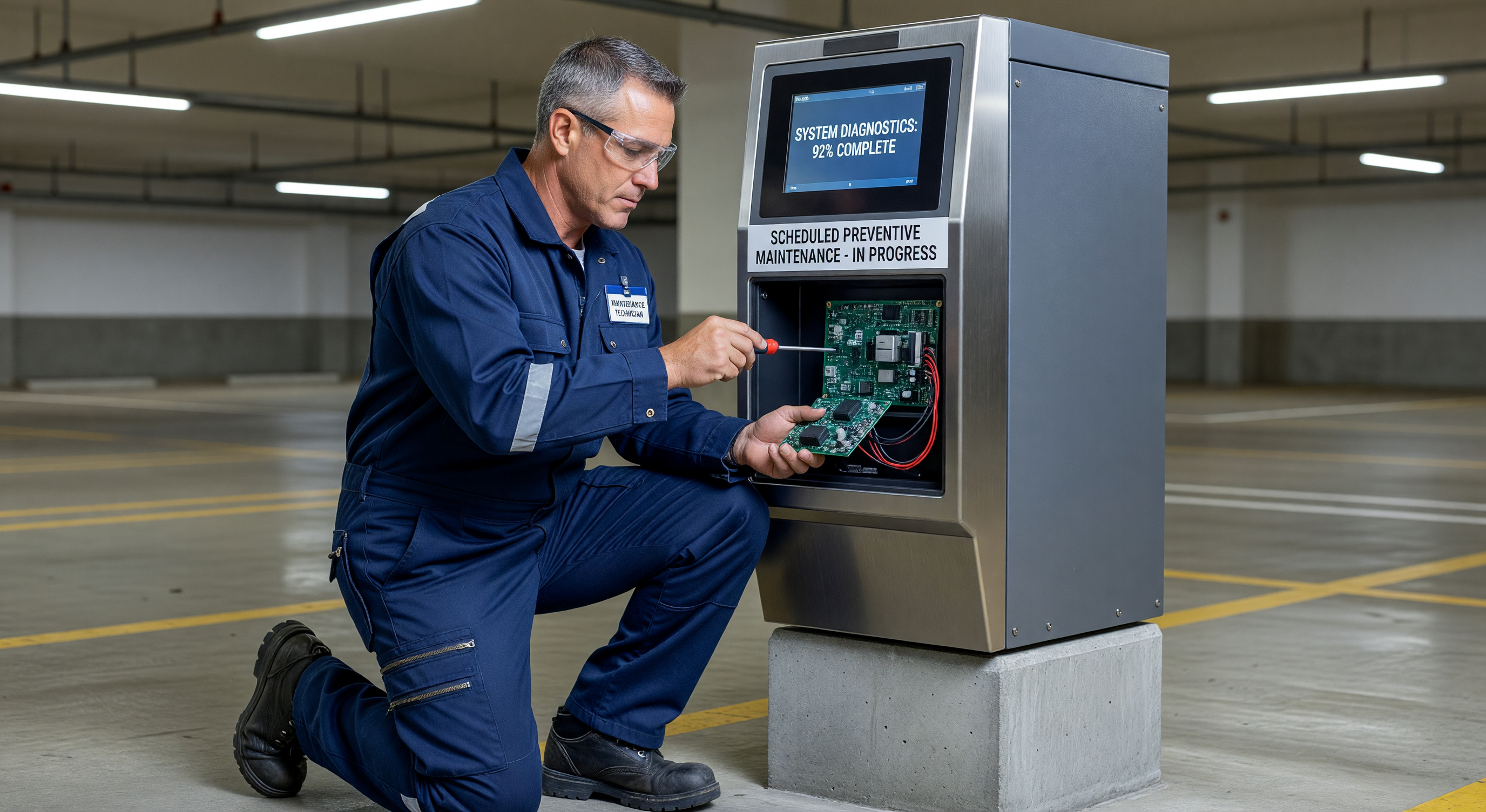
Parking equipment fails in inconvenient ways. A barrier gate that goes down at 7:45 a.m. on a Monday creates an immediate bottleneck, a customer service problem, and a revenue disruption — all before your service technician can respond. A pay station with a jammed bill acceptor during a peak event means lost revenue and frustrated patrons. Most of these failures are preventable with scheduled maintenance.
Parking equipment operates under conditions that accelerate failure rates compared to most commercial equipment: continuous outdoor exposure, 24/7 operation, high transaction volume, and seasonal temperature extremes. A barrier gate at a busy facility may complete 500,000 mechanical cycles per year. A pay station processes 50,000–150,000 transactions annually. Standard commercial equipment PM intervals designed for light office use don’t apply here.
This guide provides a practical PM schedule organized by frequency tier — daily, monthly, quarterly, and annual — covering each major equipment category.
Why Parking Equipment Needs More Aggressive PM
Transaction volume is the key driver. Most equipment is rated in cycles, not years. A high-quality barrier gate rated for 2 million cycles lasts 4 years at 500,000 cycles/year, not 10. PM intervals should be calculated against cycle counts, not calendar time alone.
Outdoor exposure compounds mechanical wear. UV degrades enclosure seals and plastic components. Road salt spray corrodes electrical connectors. Freeze-thaw cycles loosen mounting hardware and stress cable insulation. Rain infiltration into improperly sealed enclosures destroys circuit boards.
Deferred maintenance creates compounding failures. A slightly misaligned barrier boom puts extra stress on the pivot bearing. The bearing wears faster, causes vibration, loosens the motor coupling, which causes the gate to intermittently fail — and the root cause (boom alignment) costs $0 to fix during a quarterly PM but requires a $600 motor replacement if left unaddressed.
The total cost of ownership framework shows how PM investment prevents far more expensive reactive repairs. A well-maintained pay station averages $150–$200/year in PM labor and consumables. Reactive repairs for the same unit can run $400–$1,500/year when PM is deferred.
Daily Checks (Operations Staff)
Daily checks don’t require a technician — they’re visual inspections and functional verification that operations or attendant staff can perform during opening procedures. The goal is catching problems before patrons do.
Barrier Gates — Daily
- Visual inspection of boom for physical damage (impact, bending)
- Confirm boom opens and closes fully through one manual cycle
- Check that safety loop activation causes gate to stop and reverse
- Inspect housing for signs of vandalism or forced entry
- Note any unusual sounds during operation (grinding, clicking, hesitation)
Pay Stations — Daily
- Check receipt paper level; replenish if below 25% on the roll
- Confirm card reader accepts a test card transaction (use a designated test card)
- Review on-screen error messages or fault codes from previous day’s operation log
- Wipe face glass and card reader slot with dry cloth to remove smudges
- Inspect cash drawer seal for tampering (if equipped)
Ticket Dispensers / Exit Verifiers — Daily
- Verify ticket stock level; replenish if below 20%
- Test ticket issuance for correct print quality and format
- Confirm barcode or magnetic stripe on dispensed ticket reads correctly at verifier
- Check for paper jams or partial feeds
Access Control Readers — Daily
- Confirm readers are online and communicating with control panel (check management software status dashboard)
- Test at least one credential (card, fob, or PIN) at each entry point
- Visually inspect for physical damage or tampering
Cameras — Daily
- Review overnight motion alerts or triggered recordings for anomalies
- Verify all cameras show live image in VMS (black screens indicate camera or network failure)
- Check that IR illuminators activate at night on a sample of cameras (verify via VMS night view)
Monthly Tasks (Technician or Trained Staff)
Monthly tasks involve cleaning, functional testing, and connector checks. These typically take 10–20 minutes per device and are appropriate for trained maintenance staff, not necessarily a certified service technician.
Barrier Gates — Monthly
- Clean debris from housing interior (leaves, insects, moisture)
- Inspect and clean safety loop detector leads at cabinet entry points
- Check all electrical connectors for corrosion — apply dielectric grease to any showing oxidation
- Verify counterweight position and security
- Test manual release and manual override functions
- Check enclosure door gasket for integrity; replace if cracked or compressed flat
Pay Stations — Monthly
- Clean bill acceptor bezel and transport path with manufacturer-approved cleaning card
- Clean coin mechanism entry ports (compressed air, lint-free brush)
- Inspect receipt printer head for paper residue; clean with isopropyl alcohol wipe
- Check thermal printer for correct heat setting (test print should be dark and clear)
- Inspect all cable connections inside cabinet; reseat any that show signs of loosening
- Clean touchscreen or keypad surface; test all buttons for correct response
- Review software logs for recurring error codes (bill jams, card read failures, network timeouts)
- Check that software version matches current approved version; flag if updates are pending
Ticket Dispensers / Exit Verifiers — Monthly
- Clean ticket transport rollers with IPA wipe
- Inspect printing mechanism for debris
- Test barcode scanner or magnetic stripe reader with test tickets across range of print ages
- Clean reader window with lens cloth
Access Control Readers — Monthly
- Clean reader face with IPA wipe; inspect for moisture infiltration around mounting holes
- Test all credential types enrolled in system
- Review access log for unexpected denials or errors
- Confirm controller battery backup is functional (test via controller panel or software)
Loop Detectors — Monthly
- Verify loop detection sensitivity from vehicle side (drive over loop with a test vehicle and confirm trigger)
- Check detector cabinet for moisture or pest intrusion
- Inspect loop lead-in cable where it exits pavement for cracking or delamination
Cameras — Monthly
- Clean camera dome or lens cover with appropriate lens cleaner (not abrasive)
- Inspect mounting hardware for tightness (outdoor vibration loosens hardware over time)
- Verify camera view is unobstructed (seasonal vegetation growth, new signage)
- Confirm IR illuminator range matches expected coverage distance in night view
Quarterly Service (Technician Required)
Quarterly service involves mechanical adjustments, comprehensive functional testing, and tasks that require service technician skill level. Budget 30–60 minutes per barrier gate, 45–90 minutes per pay station.
Barrier Gates — Quarterly
- Inspect and lubricate boom pivot bearing with manufacturer-specified grease (over-lubrication is a common mistake — follow specs)
- Check motor brushes for wear (on brush-type motors); measure and log brush length
- Test and adjust boom balance — an unbalanced boom stresses the motor and shortens its life; adjust counterweight or spring tension per manufacturer spec
- Verify gate speed settings (open/close time) — speeds that have drifted from spec indicate wear or adjustment need
- Test all limit switches and confirm they stop gate at correct positions
- Inspect hydraulic or pneumatic components if applicable (check fluid levels, inspect hoses for cracking)
- Test UPS/battery backup: disconnect mains and confirm gate operates through at least 50 cycles on battery
- Inspect and test vehicle detection systems (loops, radar) for proper sensitivity
Pay Stations — Quarterly
- Full bill acceptor cleaning and inspection: remove module, clean rollers and sensors with IPA, inspect transport belts for wear
- Coin mechanism cleaning: disassemble coin path, clean all channels, test with worn/dirty coin samples
- Card reader head cleaning with cleaning card; inspect card reader transport for wear
- Inspect thermal printer head under magnification for burnt or missing pixels — replace head if print quality degrades
- Modem/network connectivity test: verify connection speed and packet loss to management server
- Battery backup test: disconnect mains, process 20 test transactions on battery, confirm proper cutover
- Complete functional test of all payment modes: cash (all denominations), credit/debit, mobile payment if equipped
- Review and archive transaction logs for the quarter
Access Control Systems — Quarterly
- Test all door/gate hardware for proper function (electric strikes, mag-locks, actuators)
- Inspect all wiring for signs of damage, rodent activity, or moisture infiltration
- Test fire alarm integration if present (confirm gates release on alarm signal)
- Review access levels and credentials — remove any expired or terminated credentials
- Controller battery test: verify backup battery holds charge under load
Cameras and NVR — Quarterly
- Review NVR storage health: check drive SMART status, confirm no write errors
- Verify recording retention settings are functioning as configured
- Test camera IR illuminators at rated range
- Inspect and clean camera housings — reseal any gaps with silicone if enclosure integrity is compromised
- Verify time synchronization (timestamp drift in recorded footage can complicate incident investigation)
Annual Overhaul
Annual service is a comprehensive inspection and parts replacement program. This is typically performed by OEM factory-trained technicians or under a manufacturer service contract.
Barrier Gates — Annual
- Full drive system inspection: motor, gearbox, couplings, drive belt or chain
- Replace boom pivot bearings on a mileage/cycle schedule (most manufacturers specify replacement at 500,000–1,000,000 cycles regardless of apparent condition)
- Inspect and replace cabinet door gaskets and hinge seals
- Firmware update to current approved version
- Full electrical inspection: tighten all terminal connections, inspect wire insulation for age cracking
- Replace cabinet heater/fan unit or thermostat if function is degraded (critical for harsh climates)
- Load test: verify gate performs to spec under rated load
Pay Stations — Annual
- Replace bill acceptor transport rollers (do not wait for visible wear — annual replacement is cost-effective at high transaction volumes)
- Replace receipt paper core holder and feed tension springs if worn
- Full printer head inspection and replacement if pixel row failures are present
- Inspect and replace all door and window seals
- Full electrical cabinet cleaning with compressed air; inspect all PCBs for corrosion or heat damage
- Replace UPS battery (most sealed lead-acid batteries in payment equipment should be replaced every 3–5 years; annual inspection determines timing)
- Firmware and software updates
- Compliance review: verify PCI DSS compliance status for payment hardware
Access Control — Annual
- Replace all backup batteries in controllers and readers
- Full credential database audit: remove inactive, expired, or orphaned credentials
- Inspect all outdoor readers for UV degradation and seal integrity
- Test integration with all connected systems (fire alarm, elevator control, security cameras)
- Review and update access level policies
Cameras and Video Systems — Annual
- NVR drive replacement on schedule (enterprise HDDs rated for 24/7 surveillance typically carry 3-year warranties; plan annual budget for rolling replacement)
- Full camera inventory audit against installed list — document any removed, offline, or repositioned cameras
- Review and update camera angles and coverage for any facility layout changes
- License and software renewal review
Service Contract vs. In-House Program
In-house maintenance makes financial sense when:
- Portfolio is large enough to justify a full-time or substantial part-time technician (generally 50+ devices)
- Technician can be trained to manufacturer certification level
- Parts inventory can be stocked on-site for common consumables
- In-house program covers all tiers (daily through quarterly) with annual OEM contract for specialized tasks
Service contracts make more sense when:
- Portfolio is small (under 20–30 devices) and in-house technician isn’t justified
- OEM’s service network has strong local presence and reasonable response time
- Equipment uses proprietary diagnostics or tools that aren’t practical for in-house purchase
- Facility lacks secure, climate-controlled parts storage
Hybrid approach is common: in-house staff handles daily and monthly tasks, OEM service contract covers quarterly and annual service. This reduces contract scope and cost while keeping daily operational monitoring in-house where response time matters most.
For a complete financial model comparing in-house vs. contract maintenance costs, see our service contract evaluation guide, and for the full budget impact see the total cost of ownership framework.
Building Your PM Program
A PM program that lives only in someone’s memory isn’t a program — it’s an intention. To make it operational:
- Create a device inventory: List every device, its model, serial number, installation date, and current cycle/transaction count if trackable.
- Assign PM intervals: Map each device against the schedule tiers in this guide, adjusted for your actual transaction volume and environment.
- Create task checklists: Convert the task lists above into per-device checklists that the technician signs off on. Paper or digital — whichever gets used.
- Schedule and track: Use a work order system, CMMS, or even a shared calendar with reminders. The key is that PM dates are scheduled in advance, not triggered by failure.
- Log everything: Record what was done, what was found, and what parts were used. This log is the basis for recognizing patterns — a gate that needs boom realignment every 6 months has a root cause that needs investigation.
- Review annually: Use the annual service as an opportunity to evaluate whether PM intervals need adjustment based on actual failure history.
A properly executed PM program for a mid-size parking facility (150–500 spaces) typically prevents 3–6 unscheduled service calls per year per equipment category. At $350–$600 per emergency call, that’s $1,000–$3,600 in direct savings per equipment type, not counting the revenue and operational disruption costs of unexpected downtime.