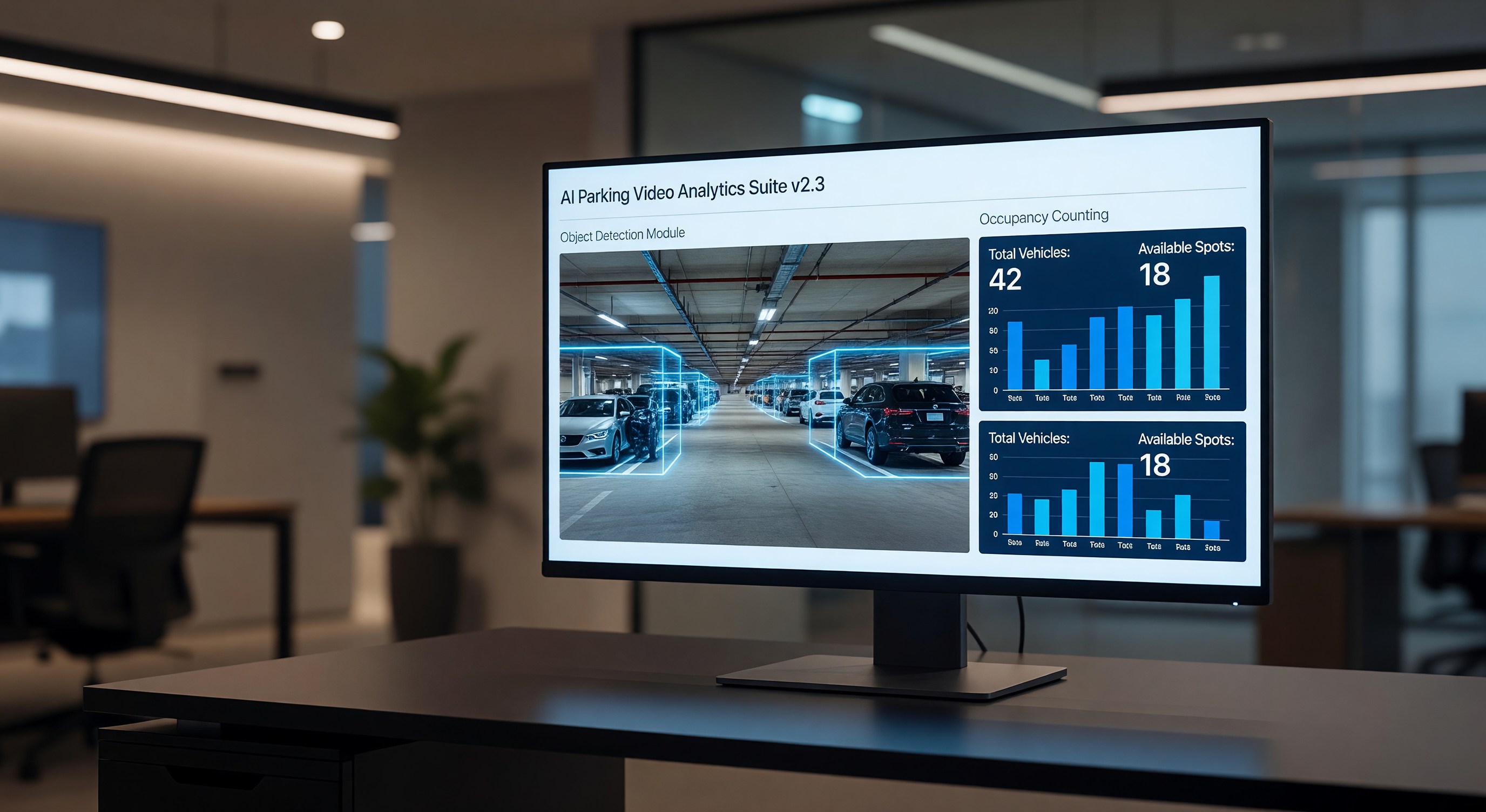
Video analytics for parking facilities has moved from a premium add-on to a mainstream operational tool. AI-based analytics extract actionable information from camera feeds — counting vehicles, detecting wrong-way movement, identifying loitering, measuring occupancy by zone — without requiring an operator to watch the video in real time.
The technology works well under the right conditions and fails in predictable ways under the wrong conditions. This guide covers the practical performance expectations for parking facility video analytics, the hardware requirements that support or limit analytics quality, and the vendor evaluation criteria that distinguish reliable systems from oversold demos.
What Video Analytics Can and Cannot Do in Parking Environments
What Works Reliably
Vehicle presence detection: Detecting whether a vehicle is occupying a defined zone (a parking space, an aisle, an entry lane) is the most mature and reliable parking analytics application. Modern neural network-based detectors achieve 95–99% accuracy under adequate lighting conditions.
Directional flow analysis: Detecting whether vehicles or pedestrians are moving in the correct direction in a defined travel lane — wrong-way vehicle detection, pedestrian against traffic flow — is well-established and reliable in defined lane geometries.
Zone occupancy counting: Counting vehicles within a defined zone (a parking lot section, a level of a garage) achieves reliable accuracy for aggregate counts. Individual space accuracy is lower than zone accuracy.
Loitering detection: Identifying individuals who remain in a defined area beyond a set time threshold. Useful for security monitoring in pedestrian areas adjacent to parking. Reliability depends on camera angle, lighting, and the definition of the detection zone.
What Has Meaningful Limitations
Individual space detection at wide angles: Analytics that must count individual spaces from a camera covering dozens of spaces are less accurate than solutions using one sensor per space or cameras positioned for single-space coverage. Expect 90–95% accuracy at best in wide-angle space counting scenarios; verify with a pilot before deploying for wayfinding displays.
License plate reading through analytics: Video analytics applied to standard camera feeds are not a replacement for dedicated LPR cameras. The resolution, frame rate, and lighting requirements for reliable plate reading exceed what standard surveillance cameras provide.
Facial recognition and individual tracking: Many jurisdictions regulate or prohibit facial recognition in public spaces. Evaluate local regulations before deploying analytics that involve individual identification.
Performance in poor lighting: Analytics accuracy degrades at night without adequate illumination. The AI models are trained on daytime imagery, and low-light degradation affects feature extraction. Pair analytics with adequate site lighting for best results.
Analytics Architecture: Edge vs. Cloud vs. Server
Edge Analytics
Edge analytics cameras have analytics processing built into the camera hardware. The camera performs detection, counting, or classification locally and sends event data (alerts, counts) rather than raw video to the management system.
Advantages: lower bandwidth requirements, lower latency for real-time alerting, less dependence on network connectivity for analytics function.
Disadvantages: analytics capability is limited by camera processor; updating analytics algorithms requires firmware updates to each camera; edge processing consumes power and generates heat that affects camera reliability over time.
Edge analytics cameras suitable for parking applications run $300–$1,200 per unit depending on processor capability.
Server-Based Analytics
A central analytics server (on-premise or cloud) receives video streams from standard cameras and processes analytics centrally. This allows more powerful analytics models than edge processors can run, and analytics updates are applied centrally rather than camera-by-camera.
Disadvantages: requires reliable network infrastructure to deliver video streams, higher bandwidth requirements, and a dedicated server to maintain.
Server-based analytics are appropriate for facilities with strong network infrastructure and where advanced analytics (complex vehicle classification, multi-camera tracking) justify the infrastructure investment.
Cloud Analytics
Cloud analytics services receive video streams or snapshots and process them in the vendor’s cloud infrastructure. The facility gets analytics results via API without managing local compute resources.
Advantages: access to high-capability AI models without on-premise hardware investment; easy scaling.
Disadvantages: requires reliable, high-bandwidth internet connectivity; creates ongoing data transmission costs; introduces privacy considerations for video data leaving the facility.
Hardware Requirements for Reliable Analytics
Analytics quality is bounded by camera hardware quality. Analytics applied to inadequate camera feeds produce inadequate results regardless of algorithm sophistication.
Resolution Requirements
- Space-level occupancy detection: Minimum 2MP (1080p); 4MP preferred for spaces at long range from the camera
- Vehicle detection and classification (make/model): Minimum 4MP; 8MP or better for accurate classification at distance
- License plate reading: Dedicated LPR cameras or minimum 5MP standard cameras with appropriate optics — see our LPR camera guide for specifics
Frame Rate Requirements
- Occupancy detection (static presence): 5–10 fps adequate; analytics on static presence don’t require high frame rates
- Directional flow and movement detection: 15–30 fps required for reliable motion direction determination
- LPR analytics: 30 fps minimum; 60 fps for high-entry-speed applications
Codec and Stream Requirements
Analytics systems require access to streams that haven’t been compressed to a point of detail loss. H.264 or H.265 at an adequate bitrate for the resolution is standard. Overly compressed streams (excessively low bitrate settings) degrade analytics accuracy even when the camera hardware is adequate.
Evaluating Analytics Vendor Claims
Vendor demonstrations of video analytics typically use curated video conditions: good lighting, clean parking lot geometry, clear contrast between vehicles and pavement. These conditions rarely reflect operational reality. Evaluation steps:
Require a pilot installation. 30–60 days of live operation in a section of your facility provides the accuracy data you need. Define the measurement methodology before the pilot, not after.
Ask about negative scenarios. How does the system perform when a shopping cart is in a parking space? When a space is partially occupied? When a vehicle parks diagonally? Stress-test scenarios reveal real-world accuracy.
Request accuracy data from comparable installations. Accuracy claims of “99%” should come with the measurement methodology: what constitutes a correct detection, how are edge cases handled, and what facility type and conditions produced the figure.
Clarify support for analytics failures. When the analytics model produces a systematic error (consistently misclassifying a space in a certain lighting condition), what is the update process? How quickly are model errors corrected?
Integration Requirements
Video analytics output needs to reach the systems that act on it. Common integration paths:
- ONVIF Profile M: Standard protocol for event data from analytics cameras to VMS platforms
- REST API: Most cloud analytics platforms provide REST APIs for event data retrieval
- PARCS integration: Occupancy data from analytics needs to reach the parking management platform for wayfinding and reporting — verify the specific data format and integration method
Frequently Asked Questions
How accurate is AI-based occupancy counting compared to dedicated sensors? In controlled conditions, camera-based AI occupancy achieves 95–98% accuracy. Dedicated per-space sensors (ultrasonic, magnetic puck) typically achieve 98–99.5% accuracy. The accuracy gap matters most in high-value applications like wayfinding displays where incorrect counts directly affect driver behavior. Camera-based systems are generally acceptable for zone-level counting and reporting.
Can existing security cameras be used for analytics without replacement? Existing cameras can run analytics if they meet the resolution and frame rate requirements and if the VMS platform supports analytics integration. Cameras more than 5–7 years old often have outdated compression codecs that limit analytics quality — evaluate before committing to analytics on aging hardware.
What is the ongoing cost of a parking video analytics system? Server-based and cloud analytics typically involve annual software licensing of $500–$2,000 per camera or $5,000–$25,000 per site depending on camera count and analytics type. Edge analytics cameras have no recurring software cost beyond the VMS platform.
Do parking video analytics require network upgrades? Potentially yes. Analytics that process video server-side or in the cloud require streaming video from cameras to the processing system — increasing bandwidth requirements significantly over systems that store video locally. Assess your current network infrastructure before committing to a cloud or server analytics model.
Key Takeaway
Video analytics in parking facilities deliver measurable operational value for occupancy monitoring, security alerting, and traffic flow analysis. The technology is mature enough to deploy with confidence — but accuracy expectations should be calibrated to your specific environment through a pilot installation, not taken from vendor marketing materials.