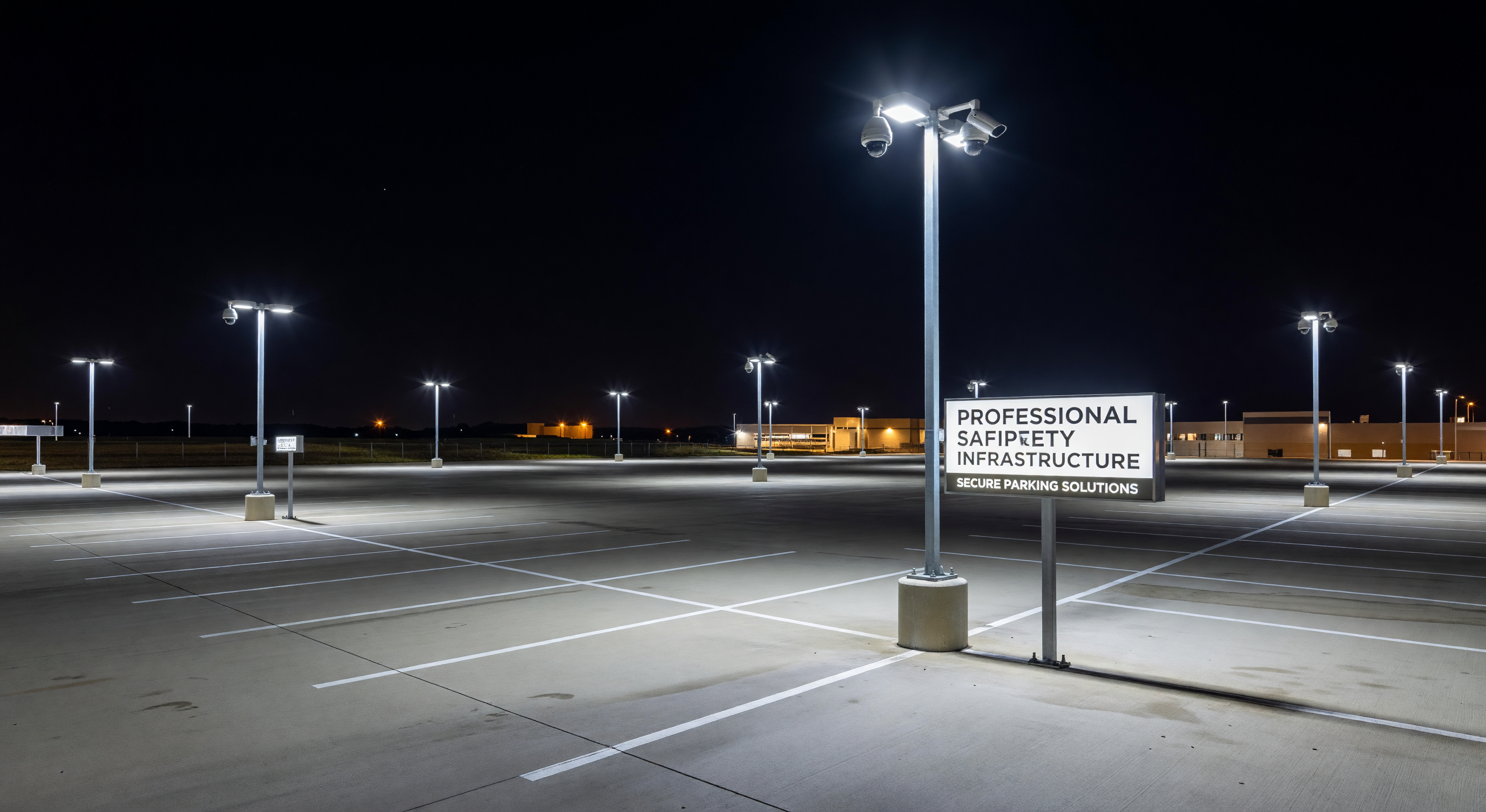
Parking lot lighting and security cameras are typically specified by different teams, from different budgets, and from different vendors — which is why they so frequently work against each other in practice. A facility with excellent lighting that’s positioned directly behind the subject of every camera produces backlit silhouettes instead of identifiable images. A camera system specified for a “well-lit” facility but deployed in areas with lighting far below standard produces unusable footage.
Coordinating lighting and camera design from the start produces significantly better outcomes than retrofitting one to the other. This guide covers the illumination requirements that support camera performance and the design decisions that determine whether the two systems work together.
Illumination Standards for Parking Facilities
IES RP-20 Parking Facility Lighting Standards
The Illuminating Engineering Society’s RP-20 standard provides the reference for parking facility illumination levels. Key values:
- Open parking lots (minimum horizontal illuminance): 0.5–2.0 footcandles (fc) depending on parking category and usage pattern
- Covered parking structures: 5–10 fc typical, with higher levels at entry/exit transitions
- Entry/exit areas: 50+ fc at transition zones to help eyes adapt
- Elevator lobbies and pedestrian areas: 5–10 fc minimum
These are minimum standards. Security camera requirements often exceed minimums — particularly at night when ambient light is at its lowest.
Camera-Driven Illumination Requirements
Standard commercial IP cameras (not starlight or thermal) require approximately 1–3 lux (0.09–0.28 fc) for usable black-and-white images and 5–20 lux (0.46–1.86 fc) for color imaging. Converting: 1 footcandle = approximately 10.76 lux.
At the IES RP-20 minimum of 0.5 fc (5.4 lux) for open lots, a standard camera can produce adequate black-and-white images but may struggle with color accuracy. At 2.0 fc (21.5 lux), most cameras produce good color images.
Practical conclusion: IES minimum lighting standards are often insufficient for reliable color camera performance at night in low-lit sections of open lots. Meeting the higher end of IES RP-20 ranges (2.0 fc for parking, 10 fc for structures) supports adequate camera performance without supplemental IR in most conditions.
Lighting Design Factors That Affect Camera Performance
Uniformity Ratio
Lighting uniformity describes how evenly light is distributed across the lit area. High uniformity means similar light levels throughout; low uniformity means bright areas near fixtures and dark areas between them.
The uniformity ratio (average/minimum illuminance) is the standard metric. IES RP-20 recommends uniformity ratios no worse than 4:1 (average to minimum) for parking lots.
Camera impact: Low uniformity creates exposure challenges. A camera optimized for the average light level overexposes the bright areas near fixtures and underexposes the dark areas between them. Wide Dynamic Range (WDR) cameras reduce this problem but don’t eliminate it. Improving uniformity through fixture selection and spacing is more effective than specifying WDR cameras to compensate for poor uniformity.
Specify uniformity ratios of 3:1 or better for areas with camera coverage. Higher uniformity is achievable with more fixtures at lower mounting heights or with appropriate optic distributions.
Color Temperature and Color Rendering
Color temperature describes the apparent warmth or coolness of light. Measured in Kelvin:
- 3000K: warm white (amber-white), common in commercial spaces
- 4000K: neutral white, common in parking structures
- 5000K–6000K: cool white (daylight), common in security-focused outdoor lighting
Camera impact: Color cameras calibrated for one color temperature produce inaccurate colors under a different color temperature. A camera white-balanced for 5000K daylight conditions produces orange-tinted images under 3000K warm LED fixtures. Most modern cameras have automatic white balance — but automatic white balance can be confused by mixed color temperatures in the same FOV.
For facilities with multiple lighting zones at different color temperatures, specify consistent color temperature throughout camera coverage areas. 4000K neutral white is a common standard that suits both visual comfort and camera accuracy.
Color Rendering Index (CRI): CRI measures how accurately the light source renders colors compared to natural light. Higher CRI (90+) produces more accurate color rendering.
For security cameras where vehicle color identification is a relevant capability, CRI 80+ is the practical minimum. High-pressure sodium fixtures (common in older parking lots) have a CRI of 20–25 — colors are rendered inaccurately under these fixtures, making vehicle color identification unreliable even with excellent cameras.
LED Lighting: Advantages and Considerations for Camera Systems
LED lighting has become the standard for parking facility installations. Camera-relevant advantages of LED vs. legacy sources:
Instant full brightness: LEDs reach full output immediately. Metal halide fixtures required a warm-up period and a cool-down period before restrike — creating lighting outages during relamping or power interruptions that affected camera coverage.
Better uniformity: LED fixtures with appropriate optics achieve better uniformity ratios than comparable high-intensity discharge fixtures.
Controllability: LED fixtures with dimming capability allow dynamic lighting adjustment — full brightness during active hours, reduced brightness during overnight periods. Camera specifications must account for the lowest dimming level, not the highest.
Flicker: Some LED drivers produce flicker at frequencies that interact with camera frame rates, causing banding in recorded video. Specify LED drivers with low flicker compliance (IEEE 1789 standards) for camera-covered areas. This is rarely an issue with quality commercial fixtures but warrants specification in competitive bid situations.
Coordinating Lighting and Camera Positioning
Avoiding Backlight
The most common camera-lighting conflict: fixtures positioned behind the subject from the camera’s perspective. A camera looking at a vehicle with a parking lot fixture directly behind the vehicle captures the vehicle in silhouette — the camera exposes for the bright fixture, leaving the foreground vehicle underexposed.
Solutions:
- Position fixtures to the side or in front of subject areas from the camera’s perspective
- Use WDR cameras in areas where backlight is unavoidable
- Raise fixture mounting height and use asymmetric optics to reduce fixture-to-camera glare
Fixture Glare in Camera FOV
Fixtures with excessive glare — visible bright point sources in the camera’s field of view — cause lens flare and reduce image contrast in the affected area. Full-cutoff fixtures (where the light source is shielded from direct view) reduce glare in camera fields of view.
When planning camera coverage maps alongside fixture placement plans, identify any fixtures that will appear in camera FOVs. Specify full-cutoff or shielded fixtures in those locations.
Entry/Exit Transition Zones
Entry/exit transitions in structured parking — where vehicles move between outdoor ambient conditions and covered parking illumination — create the most challenging camera conditions. The illumination transition from 10,000 lux (daylight) to 200 lux (structure interior) happens within a camera’s field of view at tunnel entry/exit points.
WDR cameras are the specification response to transition zone conditions. Additionally, specify high lighting levels (50+ fc) at the first 30–50 feet of covered parking from the entrance to reduce the magnitude of the transition contrast.
Frequently Asked Questions
Do LED color temperature changes at different dimming levels affect camera performance? Some LED drivers shift color temperature as power is reduced (dimming toward warmer color temperatures). This can affect camera white balance accuracy. Request color stability specifications from lighting vendors — quality LED drivers maintain consistent color temperature across the dimming range.
Should I upgrade parking lot lighting before adding cameras, or add cameras first? If the existing lighting is below 1.0 fc in covered camera areas, lighting upgrades before camera installation are strongly recommended — you’ll select better camera hardware when you know the actual lighting environment. If lighting meets IES RP-20 standards, proceed with camera installation and supplement with camera IR illumination where needed.
What is the ROI on parking lot lighting improvements for camera performance? Lighting improvements in parking facilities typically deliver multiple ROI streams: camera performance improvement, safety enhancement, reduced liability from inadequately lit incidents, and energy cost reduction (LED retrofit). ROI periods of 3–7 years are common for LED retrofit projects even without camera performance considerations.
Can we use motion-activated lighting to reduce energy cost while maintaining camera coverage? Motion-activated lighting that reduces to 20–30% at base level (not complete shutoff) is compatible with camera coverage in most applications. Complete shutoff creates darkness in which standard cameras fail. Verify that the minimum light level at base setting meets camera minimum illumination requirements before specifying a motion/occupancy control scheme.
Key Takeaway
Lighting and camera systems perform best when designed together. Coordinate uniformity ratios, color temperature, fixture positioning, and camera specifications in a single design process rather than accommodating one system around the other after the fact. The cost of coordination at design time is far lower than retrofitting either system to compensate for the other after installation.