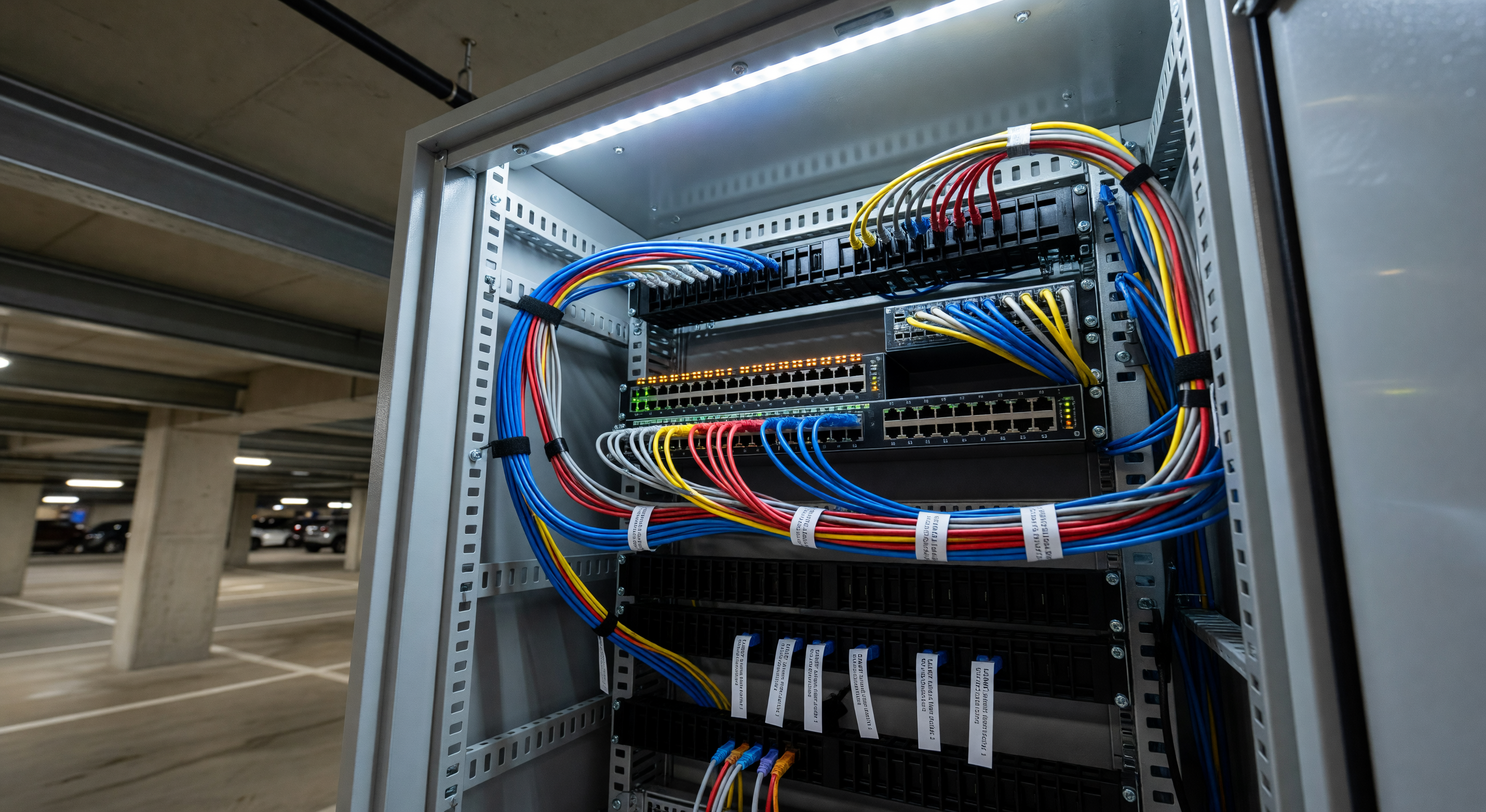
Camera system failures in parking facilities are more often network failures than camera failures. Insufficient bandwidth, underpowered PoE switches, inadequate storage capacity, and poor network topology planning all produce systems that perform well on day one and degrade within months. Addressing network infrastructure as a primary design consideration — not an afterthought — prevents the majority of these problems.
This guide covers the network planning requirements for parking facility camera systems, with practical calculations and specification guidance.
Bandwidth Planning
How Much Bandwidth Does a Camera Require?
Modern IP cameras encode video using H.264 or H.265 (HEVC) compression. The resulting bitrate depends on:
- Resolution: Higher resolution produces higher bitrates
- Frame rate: More frames per second means more data
- Scene complexity: Moving vehicles produce more compressed data than an empty, static lot (the compression is more efficient when less is changing)
- Compression efficiency: H.265 uses roughly 50% less bandwidth than H.264 for equivalent quality
Typical bitrates for commercial parking cameras:
| Resolution | Frame Rate | H.264 Bitrate | H.265 Bitrate |
|---|---|---|---|
| 1080p (2MP) | 15 fps | 2–4 Mbps | 1–2 Mbps |
| 1080p (2MP) | 30 fps | 4–6 Mbps | 2–3 Mbps |
| 4MP | 15 fps | 4–8 Mbps | 2–4 Mbps |
| 4MP | 30 fps | 6–12 Mbps | 3–6 Mbps |
| 8MP (4K) | 15 fps | 8–16 Mbps | 4–8 Mbps |
Total Bandwidth Calculation
For a 20-camera system using 4MP cameras at 15 fps (H.265):
- Per-camera bitrate: approximately 3 Mbps
- Total simultaneous recording bandwidth: 20 × 3 Mbps = 60 Mbps
- With 30% headroom for overhead, analytics traffic, and management: ~80 Mbps
A 100 Mbps LAN segment handles this comfortably. Gigabit Ethernet to each switch and a gigabit uplink from the camera LAN to the recording or management network provides adequate capacity for most parking facility deployments.
For systems with cameras transmitting to a cloud VMS, the internet uplink bandwidth requirement equals the total camera bandwidth. Verify that your facility’s internet connection supports this upload capacity before committing to a cloud architecture.
Power over Ethernet (PoE) Planning
PoE Standards
Power over Ethernet standards define how much power a switch can deliver to each port:
- PoE (802.3af): 15.4W per port maximum; 12.95W available at the device
- PoE+ (802.3at): 30W per port maximum; 25.5W available at the device
- PoE++ (802.3bt, Type 3): 60W per port maximum; 51W available at the device
- PoE++ (802.3bt, Type 4): 100W per port maximum; 71.3W available at the device
Most commercial parking cameras operate on PoE or PoE+ (standard or plus). Cameras with built-in IR illuminators, heaters, or blade fans consume more power than basic cameras — verify each camera’s power requirement against the switch port standard.
Switch Budget Planning
PoE switches have two capacity constraints: per-port power and total power budget.
Per-port constraint: If a camera requires 20W and the switch only delivers 15.4W (802.3af), the camera will either not power on or operate in a reduced power mode (sometimes disabling IR illumination).
Total power budget: A 24-port PoE+ switch with a 400W budget cannot simultaneously deliver full PoE+ to all 24 ports (that would require 720W). Typical operating assumption: assume 70% of connected devices will be simultaneously active at maximum power draw.
Calculate total power demand before specifying switches:
- Count of cameras × average power draw per camera = estimated simultaneous draw
- Add 20% margin
- Verify the switch’s total power budget exceeds this figure
Maximum PoE Cable Distance
Standard PoE operates over Cat5e or Cat6 cable to a maximum distance of 328 feet (100 meters). Camera locations farther than 328 feet from the nearest PoE switch require either:
- A PoE extender (adds another 100-meter segment)
- Fiber run to a media converter at the camera location with a local PoE injector
- A small PoE switch in an intermediate location
For surface lot installations where cameras are on poles 200+ feet from the nearest equipment room, fiber runs with local PoE injectors at each pole are common.
Storage Planning
Recording Hours Required
Retention requirements for parking facility cameras vary by facility type and purpose:
- General surveillance: 30 days minimum; 60–90 days preferred
- Payment area cameras: 90 days minimum (dispute resolution period for card transactions)
- Access control documentation: 90–180 days depending on permit dispute requirements
- Incident investigation: Incidents create exceptions requiring extended retention; plan for a separate archive process
Storage Calculation
Storage required for 30 days of retention with a 20-camera system using 4MP, 15 fps, H.265 at 3 Mbps per camera:
- Per-camera daily storage: 3 Mbps × 86,400 seconds / 8 bits = 32.4 GB/day
- System daily storage: 20 cameras × 32.4 GB = 648 GB/day
- 30-day retention: 648 × 30 = 19.4 TB raw storage
Apply a RAID overhead factor (RAID 5 or 6 for redundancy) and a 20% headroom margin: approximately 30–35 TB usable storage for this scenario.
Storage costs continue to decline. Budget 30–40% additional storage over calculated minimum to accommodate higher retention periods, higher-bitrate streams from some cameras, and system growth.
NVR vs. Cloud Storage vs. Hybrid
On-premise NVR (Network Video Recorder): Recording server located at the facility. Fast retrieval, full control over data, no ongoing bandwidth cost. Requires local hardware maintenance and physical security of the recording equipment.
Cloud VMS: Video is recorded directly to cloud storage. No on-premise hardware beyond the cameras. Easy multi-site management. Requires high-bandwidth internet connection and incurs ongoing cloud storage costs.
Hybrid: Cameras record locally (to NVR or SD card) for redundancy and immediate retrieval; video is replicated to cloud for off-site backup and remote access. Balances local performance with cloud flexibility.
For facilities with 10 or fewer cameras and good internet connectivity, cloud VMS is operationally straightforward. For facilities with 20+ cameras, high retention requirements, or limited internet bandwidth, on-premise NVR or hybrid architectures provide better cost and performance.
Network Segmentation and Security
Camera traffic should be on a separate network segment (VLAN) from other facility IT systems. This provides:
- Performance isolation: Camera bandwidth doesn’t compete with office network traffic
- Security: Compromised camera hardware doesn’t expose other facility systems
- Simplified management: Camera systems can be administered independently
Configure the camera VLAN to allow outbound traffic to the NVR/VMS system and block inbound traffic from the general network. Most managed switches support this configuration.
For cameras with web management interfaces, disable unused services (Telnet, FTP) and change default credentials immediately after installation. Default credentials on internet-connected cameras are a well-known security vulnerability.
Frequently Asked Questions
What internet speed do I need for a cloud-based camera system? Calculate total camera bitrate for all simultaneous streams and ensure your upload speed meets that requirement with margin. For 20 cameras at 3 Mbps each, you need at minimum 60 Mbps upload speed; 100 Mbps dedicated is comfortable. Most commercial internet connections with 60+ Mbps upload support this scenario.
Can I add cameras to an existing network infrastructure? Yes, if the existing switches have available PoE ports, adequate power budget, and the existing cable runs have sufficient bandwidth for the added camera streams. Audit the existing infrastructure before purchasing additional cameras.
How do I calculate how much hard drive space an NVR needs? Use the formula: (cameras × bitrate in Mbps × 86400 seconds × retention days) / 8 bits = bytes, converted to TB. Add 25% margin and RAID overhead. Most NVR manufacturers provide online storage calculators that simplify this.
Should cameras be on a separate network from my parking payment system? Yes, and this is strongly recommended from a security perspective. Payment system networks have PCI DSS scope implications; adding camera traffic to that network scope unnecessarily complicates compliance. Separate VLANs for cameras, payment systems, and general administrative access is best practice.
Key Takeaway
Network infrastructure for parking camera systems deserves the same engineering attention as the cameras themselves. Bandwidth, PoE power budget, storage capacity, and network segmentation decisions made at the design stage prevent the most common post-installation failures. Design for 2–3x current requirements to support future camera additions without infrastructure replacement.