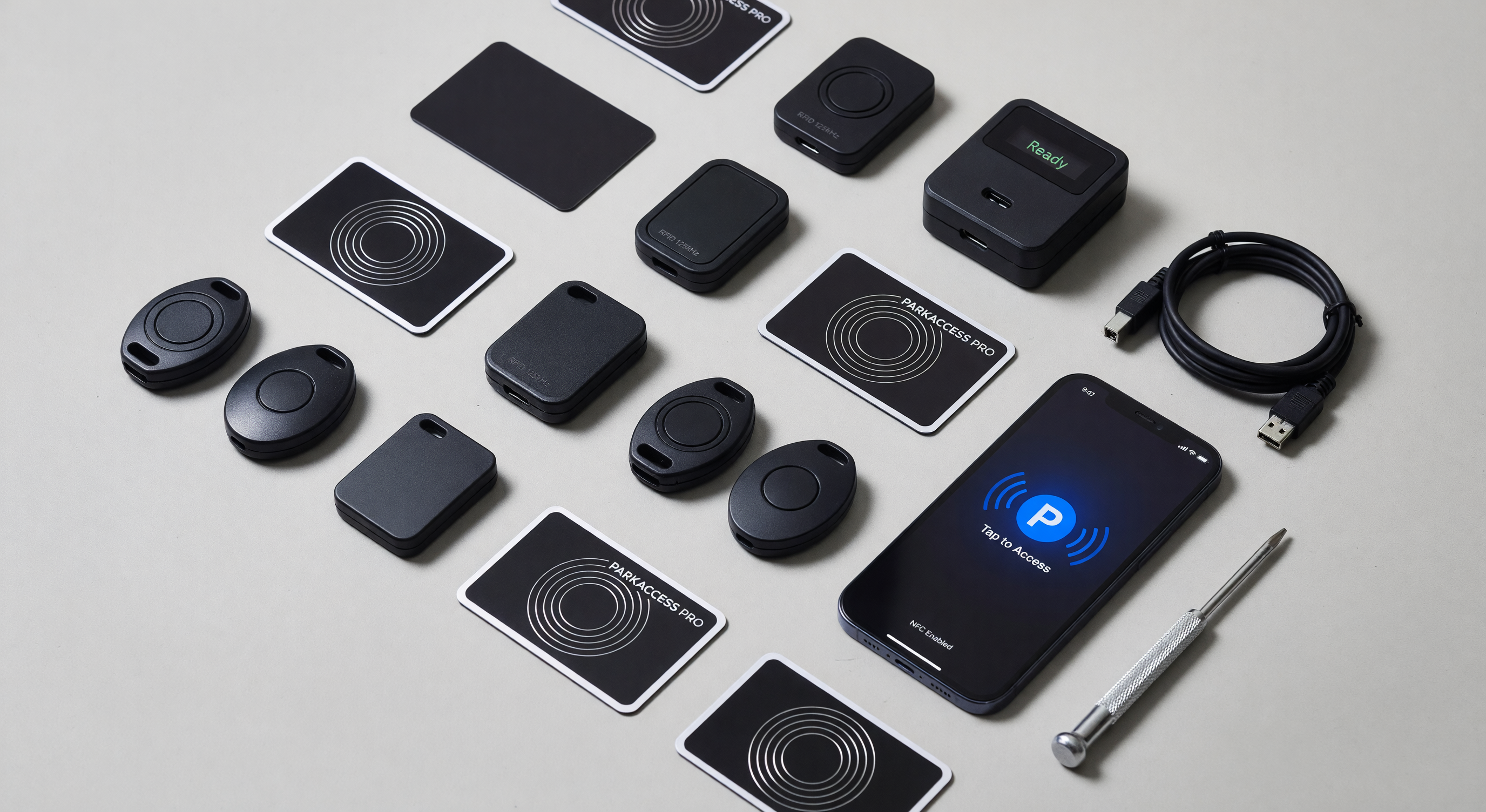
Parking credential management is one of the most neglected operational functions in parking facilities. Cards are issued without documentation. Fobs are never returned when tenants or employees leave. License plate changes go unreported. The cumulative effect is a credential database that diverges from reality — with valid credentials held by unauthorized individuals and authorized parkers without working credentials.
This guide covers credential lifecycle management for the primary parking credential types: physical cards and fobs, license plate (LPR) credentials, and mobile credentials.
The Credential Lifecycle
Every credential follows the same lifecycle, regardless of type:
- Issuance: A credential is created in the system and associated with an authorized holder
- Active use: The credential grants access per its access level and schedule
- Modification: Access level, schedule, or associated vehicle changes
- Suspension: Temporary revocation without deletion
- Termination: Permanent revocation and deactivation
- Disposition: Physical credential returned/destroyed; database record archived
Credential management failures occur most often at transitions — particularly termination (credentials aren’t deactivated when holders depart) and modification (plate changes aren’t updated when vehicles change).
Physical Credential Management: Cards and Fobs
Issuance Procedures
At issuance, record at minimum:
- Credential unique ID (card number, serial number, key fob serial)
- Holder identity (name, employee ID, unit number, or other identifier)
- Authorized access level
- Vehicle association (if the credential is vehicle-specific)
- Issue date
- Expiration date (if time-limited)
- Receipt by holder (signature or electronic acknowledgment)
Maintain this record in your PARCS database — not a separate spreadsheet. Disconnected records create synchronization problems and audit gaps.
Credential format standardization: Use a single credential format across all readers at your facility. Mixed formats (26-bit Wiegand cards for some readers, 34-bit for others) create credential confusion and access level assignment complexity. Standardize at the beginning of a facility’s life and enforce the standard.
Active Management
Credential audits: Quarterly audit of active credentials against the authorized holder list. The audit compares every active credential in the system against the current list of authorized holders (employees, tenants, permit holders). Any credential without a current authorized holder is deactivated.
This process discovers credentials held by:
- Former employees who weren’t properly offboarded
- Former tenants who didn’t return credentials
- Credentials issued for temporary purposes that were never deactivated
Transaction review: Monthly review of access transaction logs can reveal unusual patterns: credentials used outside normal hours, credentials used by multiple individuals (credential sharing), or credentials used more frequently than expected for the holder’s role.
Termination Procedures
Credential deactivation at holder departure is the most critical and most frequently missed step.
Best practice: Credential deactivation should be initiated the moment the departure decision is made — not after the last day of access, not when HR completes paperwork. For terminations with potential security implications (disciplinary separations), immediate deactivation is essential.
Credential return: Physical credential return policy should be part of the employment/tenancy agreement. Credentials not returned should be noted in the termination documentation and deactivated regardless of return status. Never leave a credential active because you’re waiting for the physical return.
Lost credential procedure: When a credential holder reports a lost card or fob, deactivate the lost credential immediately and issue a replacement. Do not wait to see if the credential turns up — a lost credential is an active security risk until deactivated.
License Plate Credential Management
LPR Credential Registration
For facilities using LPR for permit access, each authorized vehicle’s license plate is registered in the access control database. Management considerations:
Initial registration: Collect plate number, state/province, vehicle make/model/year, holder identity, and access level. The vehicle description (not just the plate number) provides context for enforcement staff and helps resolve plate read issues.
Plate verification: Verify the plate against the vehicle at registration if possible — credential holders frequently transpose characters when self-reporting plate numbers. A brief visual check at registration prevents future access denials from incorrectly registered plates.
Vehicle Change Procedures
Credential holders change vehicles more often than most operators expect — purchasing new cars, selling old cars, using different household vehicles, and driving rental cars. Without a vehicle change procedure:
- The old plate remains authorized (security risk)
- The new plate is denied access (service failure)
Recommended procedure: Issue credential holders a simple process for reporting vehicle changes — a web portal, a phone number to a parking office, or a self-service permit management app. Process changes within one business day. Verify the new plate before deactivating the old plate.
Temporary vehicle access: For rental cars, loaner vehicles, and temporary vehicle substitutions, define a process for adding a temporary plate to the holder’s credential. Set an expiration date on the temporary addition rather than leaving it open indefinitely.
Plate Matching Configurations
Most LPR-based access control systems allow some flexibility in plate matching to accommodate OCR errors in plate reads:
- Exact match: The read plate must exactly match the registered plate — highest security, lowest tolerance for OCR errors
- Partial match: A defined number of character differences are allowed — more tolerant of OCR errors, potentially allows near-matches to gain access
- Fuzzy match: Algorithmic similarity matching — most tolerant, most potential for false positives
For permit access control, partial match with 1-character difference tolerance is a common configuration that handles typical OCR errors without significant security reduction.
Mobile Credentials
Mobile credentials use smartphones (via Bluetooth Low Energy or NFC) as the credential instead of a physical card or fob. The mobile credential is issued to the holder’s phone and presented to a compatible reader for access.
Advantages of Mobile Credentials
- No physical card to lose or share — the credential is tied to the specific device
- Remote issuance and revocation without mailing physical credentials
- Self-service updates for authorized vehicle changes (if integrated with permit portal)
- Convenience for holders who always carry their phone
Credential Issuance and Management
Mobile credentials are typically issued through an app or portal:
- The holder downloads the authorized app
- The operator issues a digital invitation or credential code
- The holder activates the credential in the app
- The credential appears at compatible readers
Revocation: Mobile credentials can be revoked remotely — the credential becomes invalid the next time the device syncs with the credential management platform. For immediate revocation (security incidents), ensure the platform provides real-time revocation, not just periodic sync.
Database Hygiene
Regular Audit Cycles
Active credential databases grow without corresponding cleanup — terminated credentials accumulate. Establish a regular audit cycle:
Quarterly: Compare all active credentials against current authorized holder list. Deactivate any with no current holder.
Annual: Archive terminated credentials older than 1 year. Most PARCS systems can archive rather than delete, preserving the audit record while keeping the active database clean.
After significant events: Facility ownership change, management company change, major tenant turnover, or access control system upgrade are occasions for a full credential audit before proceeding.
Frequently Asked Questions
How do we handle credentials for visitors and temporary access needs? Issue time-limited credentials that automatically expire — set the expiration at issuance rather than relying on manual deactivation. For frequent visitors, consider a visitor credential program with pre-approved visitor plates that can be activated via web portal or mobile app by an authorized host.
What is the security risk of not revoking credentials for departed employees? An active credential held by a former employee provides unlimited access to the parking facility during authorized hours. In facilities where parking is adjacent to secured areas (corporate campuses, government facilities, healthcare), this is a meaningful security risk. The risk is mitigated by access log monitoring — unusual access patterns by a credential that’s no longer actively used should trigger investigation.
Can RFID credential management and LPR credential management be unified in one system? Yes, in modern PARCS platforms designed for mixed credential environments. A single holder record can have multiple credential types: their RFID card, their vehicle’s license plate, and their mobile credential all linked to the same access level and schedule. This is the preferred configuration for facilities supporting multiple credential types.
How long should we retain access event logs? Retain active credential logs indefinitely within the PARCS system (they take minimal storage space). Access event logs (who accessed which gate, when) should be retained 90 days minimum; 1 year is better practice for facilities where disputes, incidents, or legal matters might arise months after the event.
Key Takeaway
Credential management quality is determined by procedure consistency at the termination stage — not the issuance stage. Most facilities issue credentials adequately; most facilities fail to promptly deactivate them when holders depart. A quarterly audit process that compares active credentials against current authorized holders is the single most effective credential management practice.